Site inspection app

Inspectors work through a checklist on their phone, take photos of what's wrong and sign the report on site. Managers see every site's score on a map, and every failed item stays on a list until it's fixed.

The demo opens with sample sites and reports. Switch between manager, inspector and client at the top.

An inspection from start to signed report, in 20 seconds

Manager

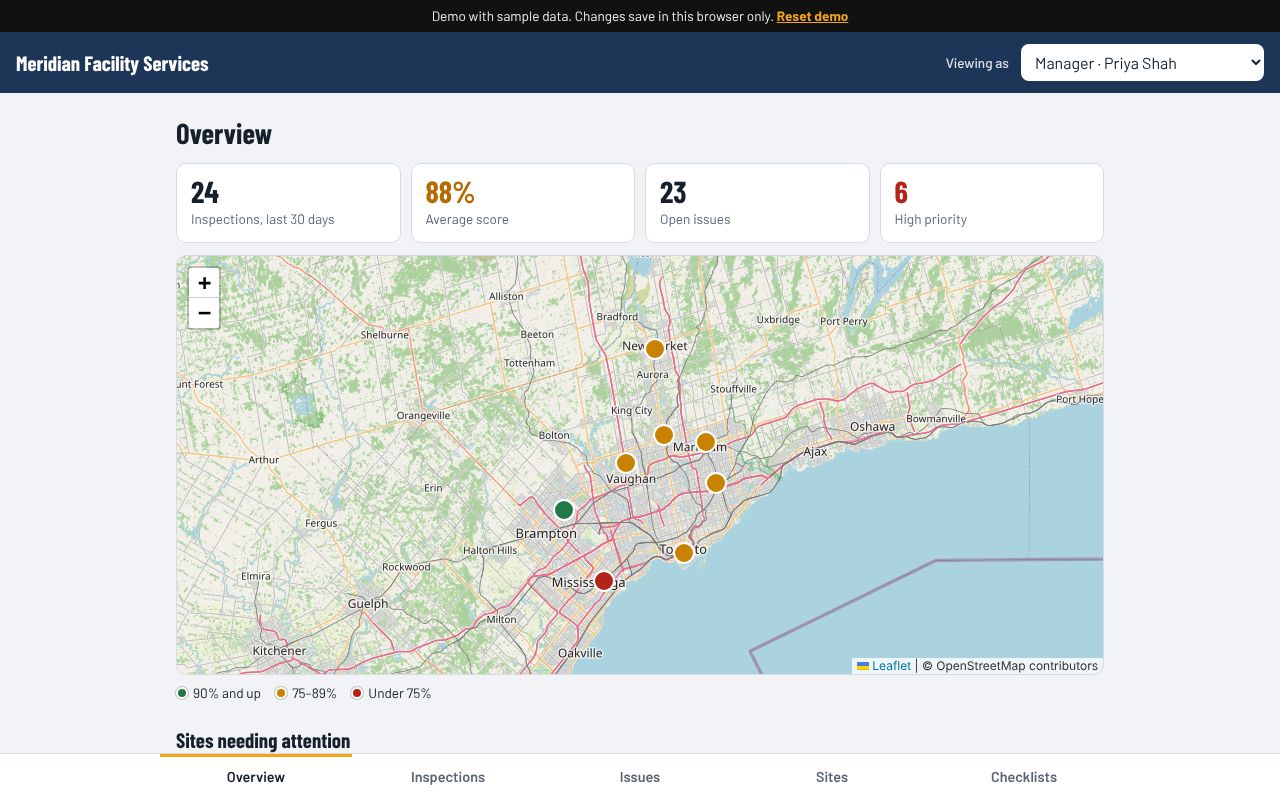
  • Map of every site, coloured by its latest score
  • Inspections, average score and open issues for the last 30 days
  • Schedule inspections by site, checklist, inspector and date
  • Score history and open issues for each site
  • Write and edit your own checklists
Manager overview: four stats, a map of sites with coloured pins, and a list of sites needing attention

Inspector

  • Today's inspections with directions to each site
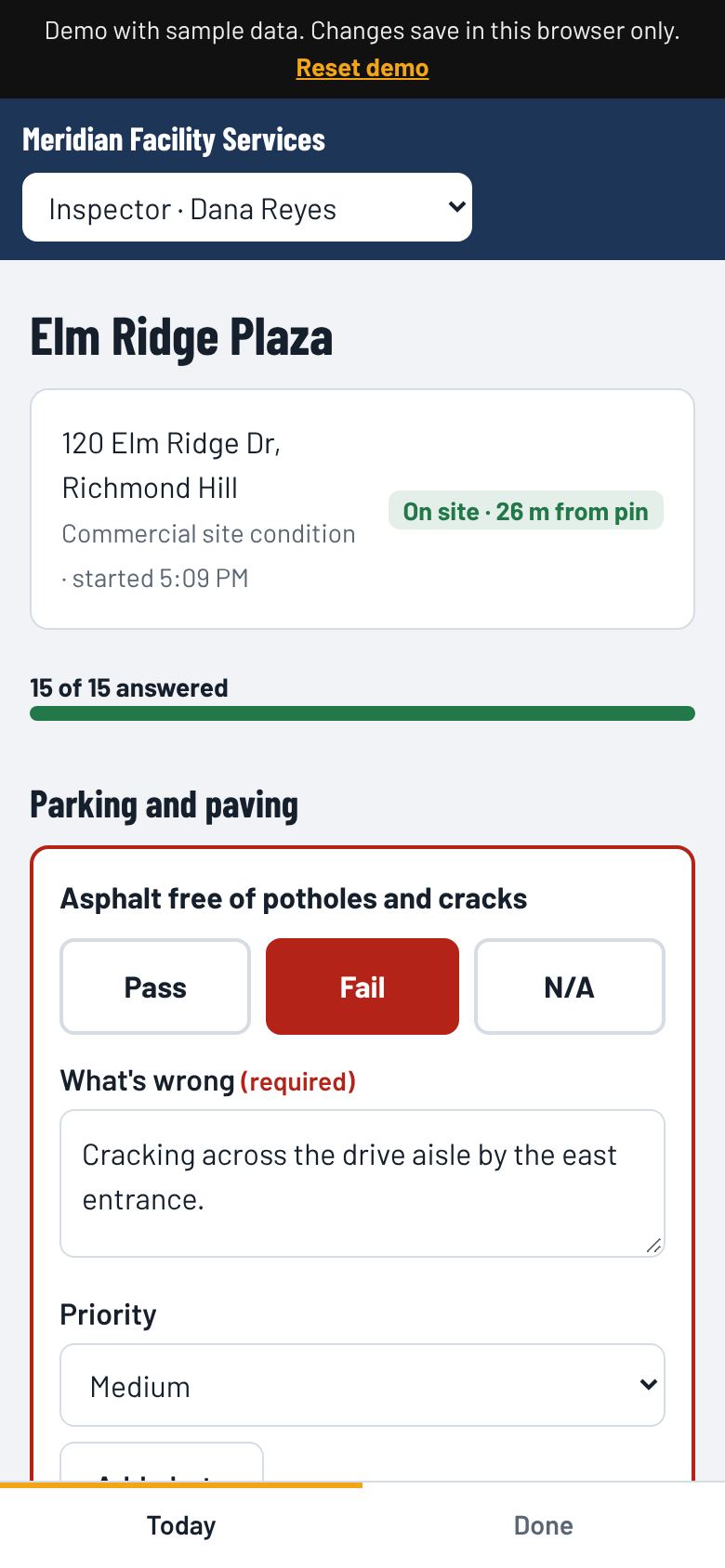
  • Location checked against the site when the inspection starts
  • Pass, Fail or N/A on each item, with large buttons for use outdoors
  • A failed item needs a note and a priority, and can take photos
  • Every answer saves as it's tapped, so nothing is lost if the phone loses signal
  • Signed on the screen and submitted on site
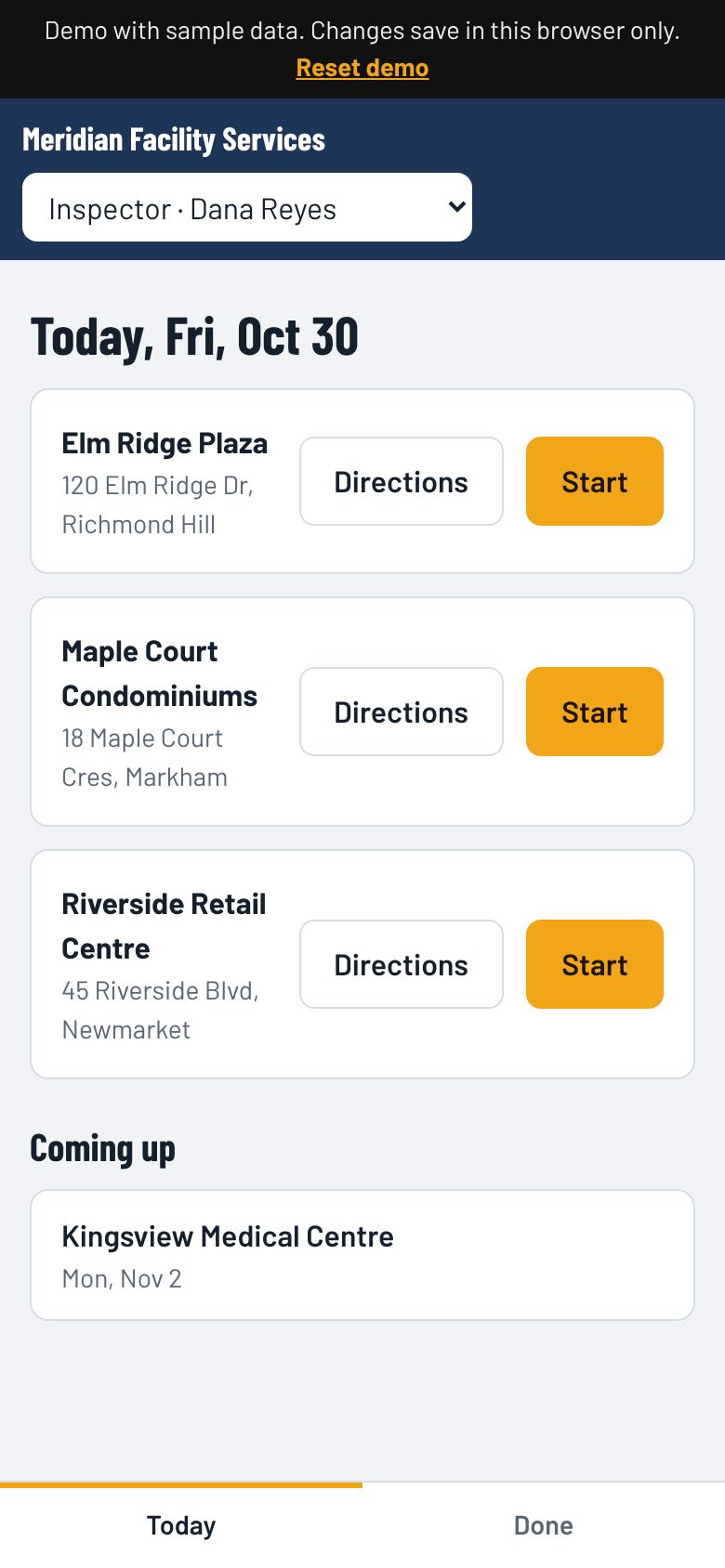
Inspector's list of today's sites with Directions and Start buttonsInspection screen with a failed item, its note and priority

Report and issues

  • Score, pass/fail/N/A counts, start and finish times
  • Shows whether the inspector was on site, and how far from the site pin
  • Every item with its result, notes and photos
  • Print it or save it as a PDF
  • Each failed item becomes an issue with priority, status (open, quoted, fixed) and an estimate
  • Issues download as a spreadsheet (CSV)
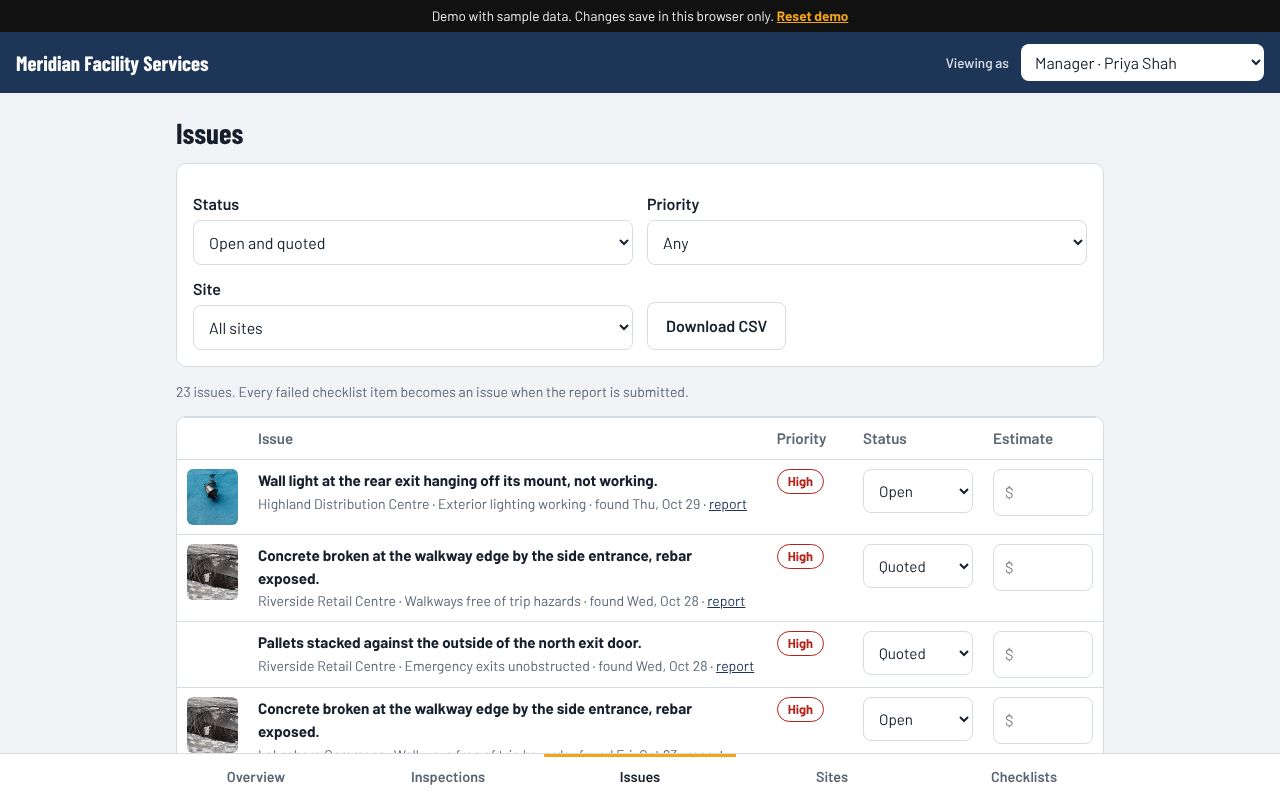
Issues list with photo, description, priority, status and estimate for each failed item

Client

  • Your clients see the reports and issues for their own sites, and nothing else
  • They can see an issue's status but can't change it
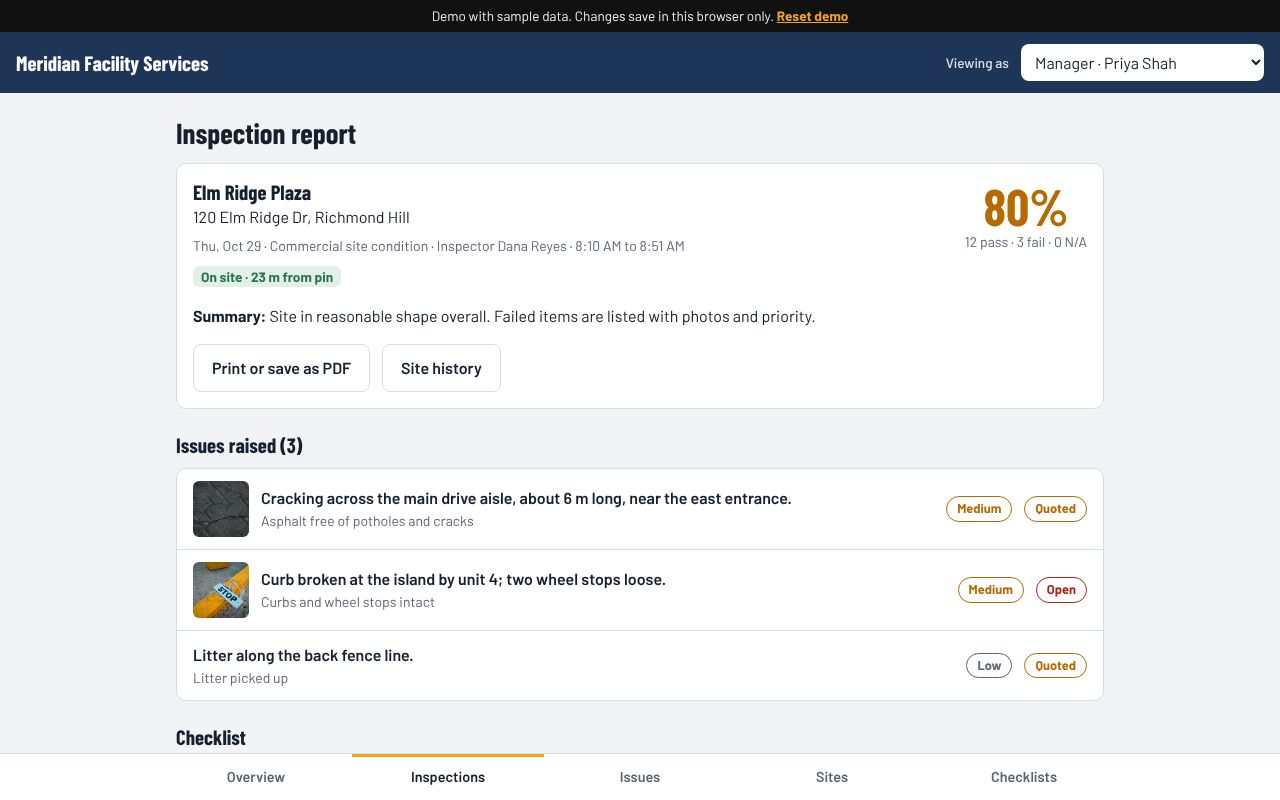
Inspection report with score, location check, summary and issues raised

Specs

Runs onAny phone, tablet or computer, in the web browser. Nothing to install.
UsersManagers, inspectors and clients, each with their own view
ChecklistsAs many as you need, with your own sections and wording
PhotosTaken with the phone's camera inside the app and shrunk automatically
LocationTaken when the inspection starts; within 200 m of the site pin counts as on site
ReportsOn screen, printed, or saved as PDF
ExportsIssues to CSV for Excel or Google Sheets
MapOpenStreetMap, no extra map fees

Who it's for

Companies that check sites on a schedule and need proof: property and facility managers, contractors checking their own crews' work, snow and landscape companies, security patrols, and anyone who reports site conditions to a client.

Try it, then tell me about your sites